
Seedance 2.5 Text-to-Video Generator: 9 Powerful Ways AI Is Changing Video Creation
AI is revolutionizing video production by converting text into video. Companies, creators, and teachers can now create interactive videos quicker, without…
Introduction: The New Era of AI Video Creation
AI is revolutionizing video production by converting text into video. Companies, creators, and teachers can now create interactive videos quicker, without having to depend entirely on standard equipment and production teams. Tools such as the Seedance 2.5 text-to-video generator make experiments easier, while still letting users maintain creative control, craft stories, and keep workflows efficient.
1. Understanding Text-to-Video AI
Text-to-Video Generation: What is it?
Text-to-Video Generation is an AI technology that transforms textual prompts into video content. Images cannot have a consistent movement in characters, objects, or scenes for more than a few frames, but videos can. Today's AI systems interpret instructions to produce dynamic visuals with a focus on maintaining natural motion, coherence, and visual quality.
Why Motion Matters
Motion is one of the biggest differences between image and video generation.
A useful video isn't simply a collection of unrelated pictures. The frames need to work together as a sequence.
For example, if a prompt describes a person walking toward a door, the resulting video should ideally show:
1. The person beginning the movement.
2. The person moving toward the door.
3. The environment responding naturally to the movement.
4. The person reaching the door.
5. A visually logical continuation of the action.
AI systems attempt to understand these relationships and create motion that follows the prompt.
2. What Makes Modern AI Video Tools Different?
Better Understanding of Prompts
Earlier AI-generated videos often struggled with complex instructions. Modern systems are increasingly capable of interpreting multiple elements within one prompt.
A creator can specify the subject, environment, movement, camera behavior, lighting, and mood in the same instruction.
This creates more opportunities for deliberate visual storytelling.
Improved Motion
Natural motion is essential for convincing video.
Modern AI video systems are designed to generate movement rather than simply animate a still image. Depending on the model and prompt, this can include camera movement, object motion, environmental activity, and character actions.
Of course, results aren't always perfect. Complex interactions can still produce strange movements or inconsistencies.
That's why reviewing every generated clip remains important.
Faster Prototyping
AI-generated video can also work as a visual prototype.
A director might want to show a client what a scene could look like before filming. A marketing team might want to demonstrate an idea internally. A writer might want to visualize a scene from a script.
The generated clip doesn't need to become the final production.
It can simply help people see the idea.
Where Seedance 2.5 Fits In
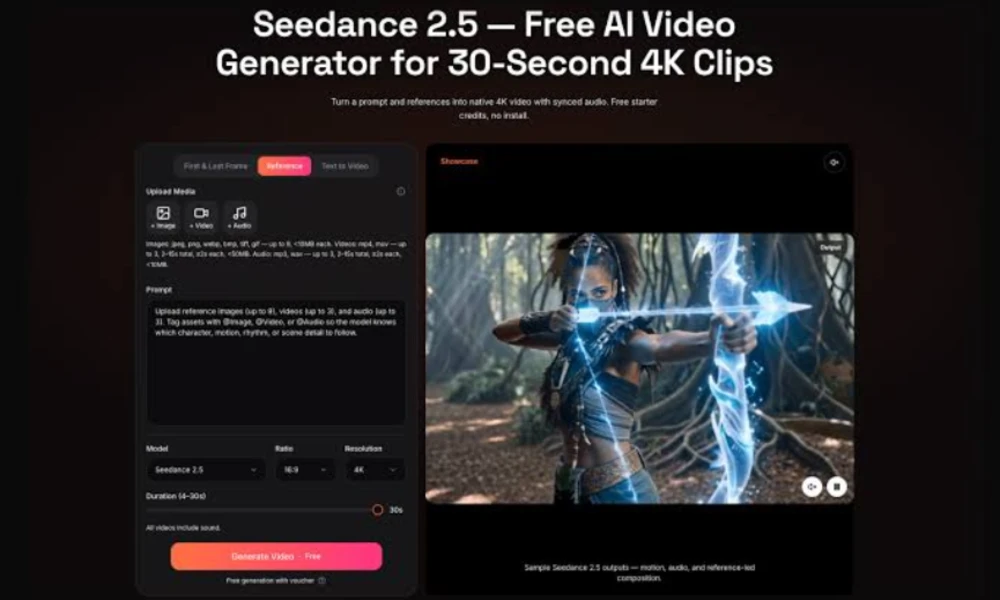
This trend towards more powerful AI-powered video workflows is reflected in the increasing popularity of the Seedance 2.5 text to video generator.
Rather than viewing AI as a killer app for the creative industry, it can be better thought of as a tool to visualize ideas, concepts, and completed assets.
A creator, for instance, might start from a written scene, make a clip and recognize problems, adjust the prompt, and make another version.
That iterative process can save considerable time.
3. How Text-to-Video AI Works
Step 1: The User Provides a Prompt
Everything begins with an instruction.
The prompt can include:
. Subject
. Location
. Action
. Camera angle
. Lighting
. Time of day
. Mood
. Visual style
. Composition
. Movement
The more relevant information the prompt provides, the clearer the creative direction can become.
Step 2: Visual Content Is Generated
The system then generates video content based on its learned understanding of visual patterns.
The output may include environments, objects, characters, lighting, textures, and movement.
The result is usually created automatically rather than filmed in the traditional sense.
Step 3: The Creator Reviews the Result
This step shouldn't be skipped.
AI-generated video can contain:
. Incorrect object details
. Unnatural movement
. Inconsistent characters
. Strange backgrounds
. Incorrect text
. Unexpected camera movement
Human review catches these issues.
4. 9 Powerful Applications of Text-to-Video AI
1. Social Media Content
Short-form video dominates many social platforms.
There's an always-present need for visual content, and generating original content daily isn't always easy.
The use of text-to-video tools can aid in the development of backgrounds, visual ideas, transitions, storytelling clips, and additional footage.
For instance, a space explorer might create a series of images depicting a futuristic spaceship progressing through a distant galaxy.
The AI clip can then be used alongside narration, captioning, music, and more footage.
2. Marketing Campaigns
Marketing teams test lots of ideas all the time.
The power of AI video can be used to develop initial ideas for product launches, advertisements, social media campaigns, and brand storytelling.
A company might have a few different visual campaigns to select from and choose which one is best suited for their audience.
This makes experimentation easier.
3. Product Demonstrations
For some products, it is not possible to describe everything through text.
Video can show how a product operates, what it does to solve a problem, or how it integrates with a specific lifestyle.
AI-generated images can be used alongside standard product photography and videos.
But when businesses depict the behavior of these products as real, only factual behavior should be displayed if it doesn't resemble the actual product.
Accuracy matters.
4. Educational Content
AI-generated video can help teachers and educational creators make complex concepts more understandable.
If you could explain the water cycle, what would you say? An educator might use visual sequences of evaporation, cloud formation, condensation, and rainfall instead of just using diagrams.
The video becomes a supporting learning tool.
5. Storyboarding and Pre-Production
AI Video can assist filmmakers in visualizing scenes before investing in costly filming.
A very rough automatic sequence can be used to answer questions like:
. Does this camera angle work?
. Is the scene visually clear?
. Does the location fit the story?
. What should the pacing feel like?
This makes AI useful even when the final movie is filmed traditionally.
6. Concept Development
The creative team has ideas that are hard to articulate.
A generated video can make those ideas easier to discuss.
Instead of saying, "Imagine a city of the future where transportation runs vertically," the writer can produce a visual idea that offers the group something concrete to appreciate.
That's a powerful brainstorming advantage.
7. Corporate Training
Businesses can also explore AI video for internal training.
Instructional videos can explain workflows, workplace scenarios, software concepts, or customer-service situations.
The key is to review generated content carefully and ensure it reflects the company's actual policies and processes.
8. Storytelling and Entertainment
Writers and independent producers can use textual content-to-video structures to imagine fictional worlds.
Fantasy environments, technical fictional settings, past scenes, and surreal concepts can all be explored outdoors by creating physical entities.
This does not overcome the lack of storytelling skills.
In fact, strong storytelling becomes even more important because creators have more visual possibilities to choose from.
9. Personalized Visual Content
One emerging application is personalized video.
Different audiences may need different examples or messages. AI can potentially make it easier to create variations of a visual concept for different groups.
For example, an educational business could create several versions of an introductory video designed around different subjects or learning scenarios.
The technology makes variation more practical.
5. How to Write Better Text-to-Video Prompts
Start With the Main Subject
Don't make the most important part of the prompt difficult to find.
Begin by clearly identifying what the video should show.
For example:
"A young architect reviewing blueprints inside a modern studio."
Then add additional details.
Add Camera Instructions
Camera language can influence the visual result.
Useful terms include:
. Close-up.
. Wide shot
. Tracking shot
. Overhead shot
. Low-angle shot
. Slow push-in
. Pan
. Cinematic establishing shot
Use these terms naturally rather than adding them randomly.
Specify lighting and mood
The light can dramatically change the arrival of the place.
You might request:
. Soft morning light
. Warm sunset lighting
. Moody studio lighting
. High-contrast cinematic lighting
. Cool nighttime illumination
Mood can also help shape the result.
6. Building an Effective AI Video Workflow
Begin With a Script
Don't start generating random clips without a plan.
Write the basic story first.
A short video might follow:
Hook → Problem → Explanation → Solution → Call to action
This gives every visual a purpose.
Generate Multiple Versions
The first result may be good, but the second or third could be better.
Generate variations when the tool allows it.
Compare:
. Composition
. Motion
. Character appearance
. Lighting
. Story clarity
. Overall mood
Then select the strongest clips.
Add Human Editing
AI generation is only one part of production.
Editing can improve:
. Pacing
. Transitions
. Audio
. Color
. Captions
. Branding.
. Story structure
A rough AI clip can become much more useful after careful editing.
7. Benefits for Creators and Businesses
Lower Production Barriers
Professional video production can require significant resources.
AI reduces some of those barriers by allowing people to experiment with visual content using written instructions.
This is especially useful for small teams.
Faster Creative Testing
Ideas can be tested quickly.
If one idea doesn’t work, there’s less friction in trying another.
It’s valuable in marketing, advertising, and social media.
More Creative Freedom
AI allows creators to explore visual ideas that might be difficult or highly valuable in other contexts.
A small group can envision environments that might require large units or complex visual effects drawings in traditional design.
8. Challenges and Limitations
Character Consistency
Keeping the same man or woman consistent in multiple scenes can be difficult.
Minor changes may also occur in the face, clothing, body shape or appearance.
This can be the main problem for storytelling efforts.
Physical Accuracy
AI-generated scenes may sometimes contain unrealistic physical behavior.
Objects can move strangely, hands may look incorrect, or interactions between multiple subjects may not behave as expected.
Review is essential.
Text and Logos
Generated video may struggle with accurate written text.
Businesses should be especially careful when displaying:
. Product names
. Prices
. Website addresses
. Logos
. Legal statements
. Technical specifications
These elements are often better added during editing.
Copyright and Ownership Questions
AI-generated media also raises legal and ethical concerns.
Regulations vary by jurisdiction and are retained for development.
Manufacturers should know the terms of the AI service they are using and not forget the relevant copyright rules before publishing content of industrial materials.
For official records of copyright within the United States, manufacturers often rely on U.S. patents.
Human creativity still matters
AI can generate scenes and still not create a robotically compelling story.
A technically remarkable video can still be dull.
Strong concepts, clear messaging, editing, pacing, and audience understanding remain essential.
9. AI Video vs. Traditional Video Production
AI and traditional production aren't necessarily competitors.
They can complement each other.
| Factor | AI Video | Traditional Video |
| Initial setup | Usually fast | Often more involved |
| Physical locations | Often unnecessary | Usually required |
| Actors | May not be required | Often required |
| Creative experimentation | Very flexible | Can be expensive |
| Physical realism | Can vary | Usually predictable |
| Human direction | Still important | Central |
| Editing | Still required | Still required |
| Best use | Concepts, variations, digital scenes | Real-world footage and high-control productions |
Conclusion
Text-to-video AI is reworking video production by helping creators quickly turn written ideas into visual content. These tools help with social media, advertising, education, storyboarding, and revolutionary work. However, human creativity still matters. The destiny of video is not just automatic content recognition; It’s about empowering people to turn ideas into compelling stories.
FAQ's
What is a textual content-to-video generator?
A text-to-video generator is an AI tool that converts written activations into video content. Users describe scenery, movement, fashion, or atmosphere, and the device generates a collection of scenes based on their commands.
What is the Seedance 2.5 text-to-video generator used for?
Superior AI can be understood in a broad category of video-age generation. Such tools can help with creative experimentation, social media creation, marketing concepts, storytelling, educational visuals, and video prototyping.
Do I want video editing talent to use AI video tools?
Not always. Many modern tools are designed to be accessible to beginners.